
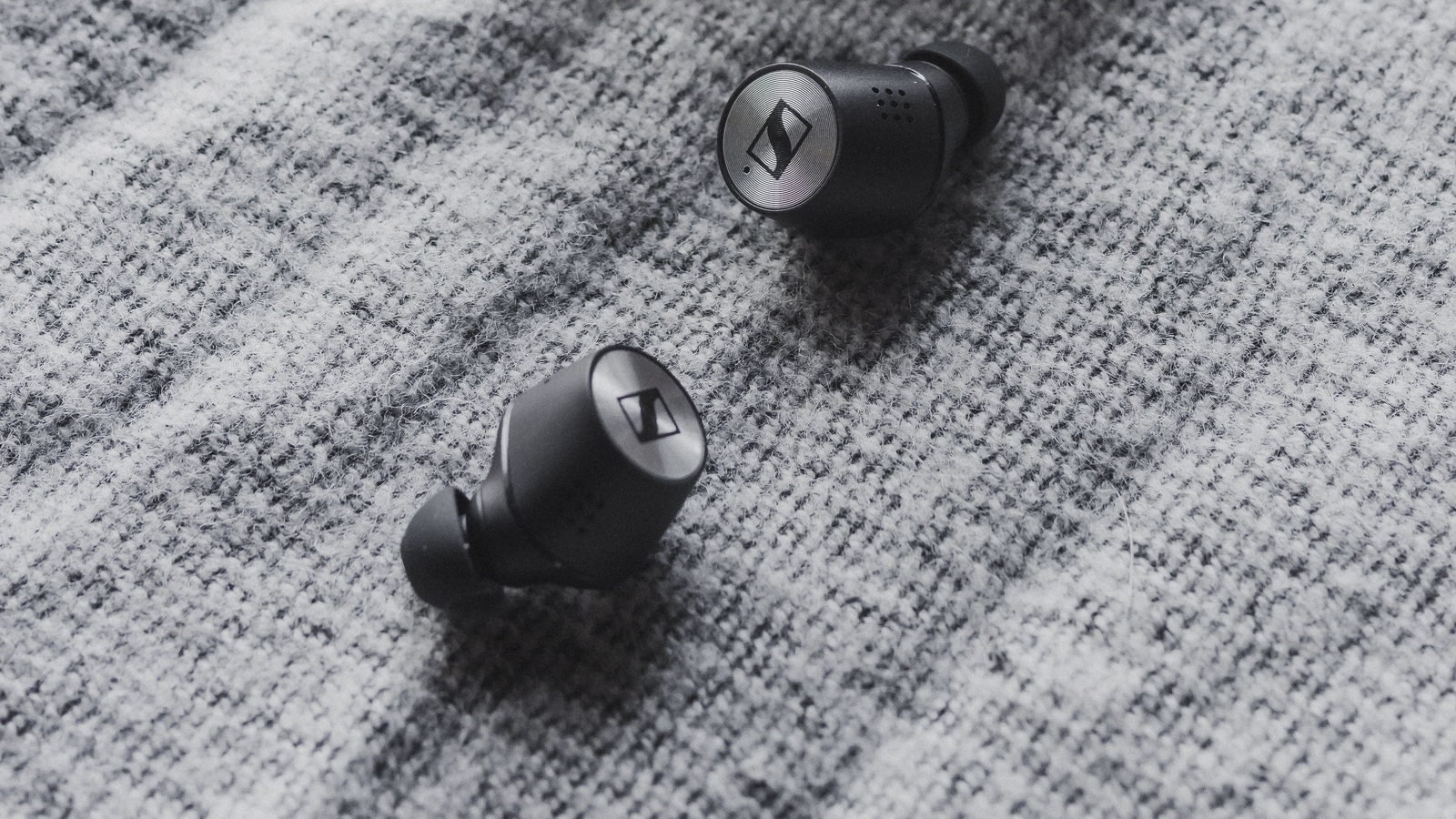
What Really Makes Wireless Earbuds Worth Buying?
Fit, call clarity and device compatibility can matter more than headline specifications. Learn which trade-offs deserve your money.


A pair of wireless earbuds can tick every box on a product page and still be wrong for you. They may loosen when you talk, make your own voice sound strange, or turn the simple act of answering a laptop call into a Bluetooth negotiation. None of those problems is solved by a bigger number next to “noise cancellation.”
The useful starting point is the moment you want them to improve. A noisy commute, several hours of meetings and a run in the park ask different things of the same tiny device. Work out which moment matters most before paying for features you may rarely use.
Fit changes the sound before any setting does
With an in-ear design, the ear tip is part of the acoustic system. A poor seal can leave you trying to repair missing bass with an equalizer while outside noise continues to leak in. A secure seal that becomes painful after half an hour is not a successful fit either.
Apple’s ear-tip guidance connects a good seal with stronger bass and noise cancellation, and notes that your ears may need different tip sizes. Its Ear Tip Fit Test applies to AirPods Pro 1 and 2; AirPods Pro 3 use the Acoustic Seal Test. These checks are useful starting points, not a reason to ignore discomfort.
When you can try a pair, speak, turn your head and move your jaw as well as sitting still. Check whether an adjustment is needed every few minutes. If you cannot try them, establish the seller’s actual policy for opened in-ear products before buying; do not assume every return policy treats them identically.
Open designs deserve a separate decision. If you dislike the feeling of a sealed ear canal, a design that rests outside it may be easier to live with. That choice changes how much isolation you should expect. Comfort and awareness can be more valuable than isolation for a particular listener; neither design wins simply because its specification sheet is longer.
ANC, transparency and call clarity solve different problems
Active noise cancellation uses microphones and processing to generate sound that counters surrounding noise. Sony’s technical explanation says the function works primarily on low-frequency sounds such as vehicles and air conditioning, and does not remove noise completely.
That distinction matters when your real problem is conversation nearby. A headline cancellation figure should not be read as a promise that voices, keyboard taps and engine hum will all fall by the same amount. Ask what was measured, over which frequencies and under which conditions. If the seller cannot explain the number, it is a weak basis for comparing two pairs.
Transparency or ambient mode addresses the opposite need: hearing the room without taking the earbuds out. Evaluate it with speech, including your own voice. Can you follow a short conversation comfortably? Is there an obvious hiss? Do you keep switching it off? An impressive ANC demonstration tells you little about those answers.
Call noise reduction is another job again. It concerns what the person at the other end hears, rather than just the noise reaching your ears. A description such as “six microphones” does not tell you whether your voice remains understandable outside. For work calls, look for a recording made in a relevant environment, with the recording conditions disclosed. A quiet-room sample cannot settle a wind-noise question.
Treat any trial you perform as a check of your own needs. Make a short call from the place where you normally work. Ask the other person whether speech sounds clear, choppy or heavily processed. A pair can be pleasant for music and still be the wrong work headset.
Buy the connection your devices can actually use
A codec is the method used to encode and decode the audio sent over the connection. Its name describes one part of the route, not the final listening experience. Before paying extra for a codec, check support on both the earbuds and the phone or computer you will actually use, including any operating-system or firmware requirement.
The Bluetooth SIG describes LC3 as a component of LE Audio, designed to offer manufacturers more flexibility in audio quality and power consumption. That is a technology capability, not a guarantee that any two products displaying a recent Bluetooth version will deliver every LE Audio feature together.
Compatibility also matters during calls. Android’s developer documentation explains that Classic Bluetooth can reduce playback quality when the Bluetooth microphone is used; LE Audio provides a different route with improved simultaneous input and output capabilities. The benefit depends on a supported end-to-end implementation. Buying LE Audio earbuds alone does not establish that your laptop, drivers and meeting app will use that route.
For a daily commute, a stable connection is worth more than a prestigious codec that keeps breaking up. Sony’s sound-quality mode guidance explicitly distinguishes sound-quality, stable-connection and low-latency modes, with trade-offs in stability and operating time. Those names are model-specific, but the buying question travels well: which compromises become necessary when you enable the feature you want?
Latency deserves its own check if you play games or an instrument. A “gaming mode” label is not a measured guarantee for your setup. Test the actual app and device combination rather than using a film with apparently correct lip sync as proof that every interactive task will feel immediate.
Multipoint should save effort, not just appear on the box
If you move between a phone and a computer, two-device connectivity can matter more than an exotic sound mode. But storing several pairings, connecting to two devices and mixing two sound sources are different functions.
Sony’s WF-1000XM5 multipoint instructions give a concrete example: both devices can remain connected, but switching music may require stopping the first source before starting the second. That is useful switching, not two streams playing together.
Before buying, check whether the advertised switching works between your actual operating systems. An ecosystem-specific automatic-switching feature is not automatically a substitute for phone-to-Windows multipoint. Check also whether a desired codec or low-latency mode changes the available connection options.
During setup, pair the two devices separately and follow the product’s instructions for simultaneous connections. Play something on the computer, pause it, start audio on the phone, then make a call. You are checking the sequence you will repeat every day. If one particular app keeps holding the connection, knowing that early is more useful than another hour spent comparing feature lists.
Battery life needs a sentence, not just a number
Separate time in your ears from time supplied by the case. A case that provides several recharges cannot keep the earbuds playing through an uninterrupted session once their own batteries run down.
The conditions behind the earbud figure matter too. Sony’s published operating-time table for the WF-1000XM5 lists up to eight hours with AAC and noise cancellation, but up to five with LDAC and noise cancellation. Those are manufacturer maxima for specified configurations, not MASEVIO measurements or a forecast for another model.
Imagine, purely as a planning example, that your longest listening session is a four-hour train journey. A specification that only just covers four hours leaves little margin for a different setting or an ageing battery. The decision is not “which case has the largest total?” It is “will this pair cover my longest ordinary session in the mode I want?”
Look for replacement tips, a replacement-case route, warranty service and clear support information as well. Small batteries and easily lost accessories make ownership support relevant. A lower purchase price is less persuasive if losing one component means replacing the whole set.
A sensible first setup
Start with the fit, then configure the features. Keep the initial sound settings simple so that you can tell which change helped.
- Install the manufacturer’s official app if it is needed for configuration, check the supported firmware-update procedure, and read what access the app requests.
- Choose comfortable tips and run the model’s fit or seal check if one exists. Recheck the fit after changing tips.
- Learn the control that switches ANC, ambient mode and off. Make that easy to use before adding optional gestures.
- Use a familiar recording at a comfortable volume. Make small EQ changes to a specific problem instead of enabling every enhancement together.
- Set the microphone and output device inside your meeting app, then check a real call. Pairing successfully is not proof that the app selected the intended microphone.
- Try switching between your normal devices. If audio stutters, consult the model’s connection-stability options before assuming the earbuds are defective.
These are checks to adapt to the product, not a universal menu path. The best configuration is one you understand and can restore.
Maintenance is part of the purchase decision
Check the rating of the case separately from that of the earbuds. Apple’s water-resistance guidance distinguishes model and case ratings, says resistance can diminish, and instructs users to dry the earbuds before returning them to the case. A resistance rating is not a cleaning method.
Follow the exact model’s instructions for tips, meshes and charging contacts. Do not assume a method allowed for a detachable silicone tip is safe for the earbud body, foam tips or a microphone opening. If one side becomes quiet, check fit, cleanliness and the documented troubleshooting steps before compensating with more volume.
The pair worth buying is the one whose advantages survive your ordinary day. For a commuter, that might mean a comfortable seal and predictable ANC. For mixed phone-and-computer work, it might mean reliable switching and understandable calls. For someone who already owns comfortable earbuds, it may mean keeping them until a new pair solves a clearly identified problem.
Write that problem down before shopping. It is a better filter than a wall of badges.
Smarter choices start with clearer information.
MASEVIO researches, compares and explains products, technology and emerging ideas to help make everyday decisions easier to understand.
MASEVIO may use affiliate links in some articles. If you buy through an eligible link, MASEVIO may earn a commission at no additional cost to you. Editorial opinions are not determined by affiliate partnerships.

Make every day smarter.
Discover what matters now — useful ideas, standout products, clearer comparisons and stories worth knowing.