
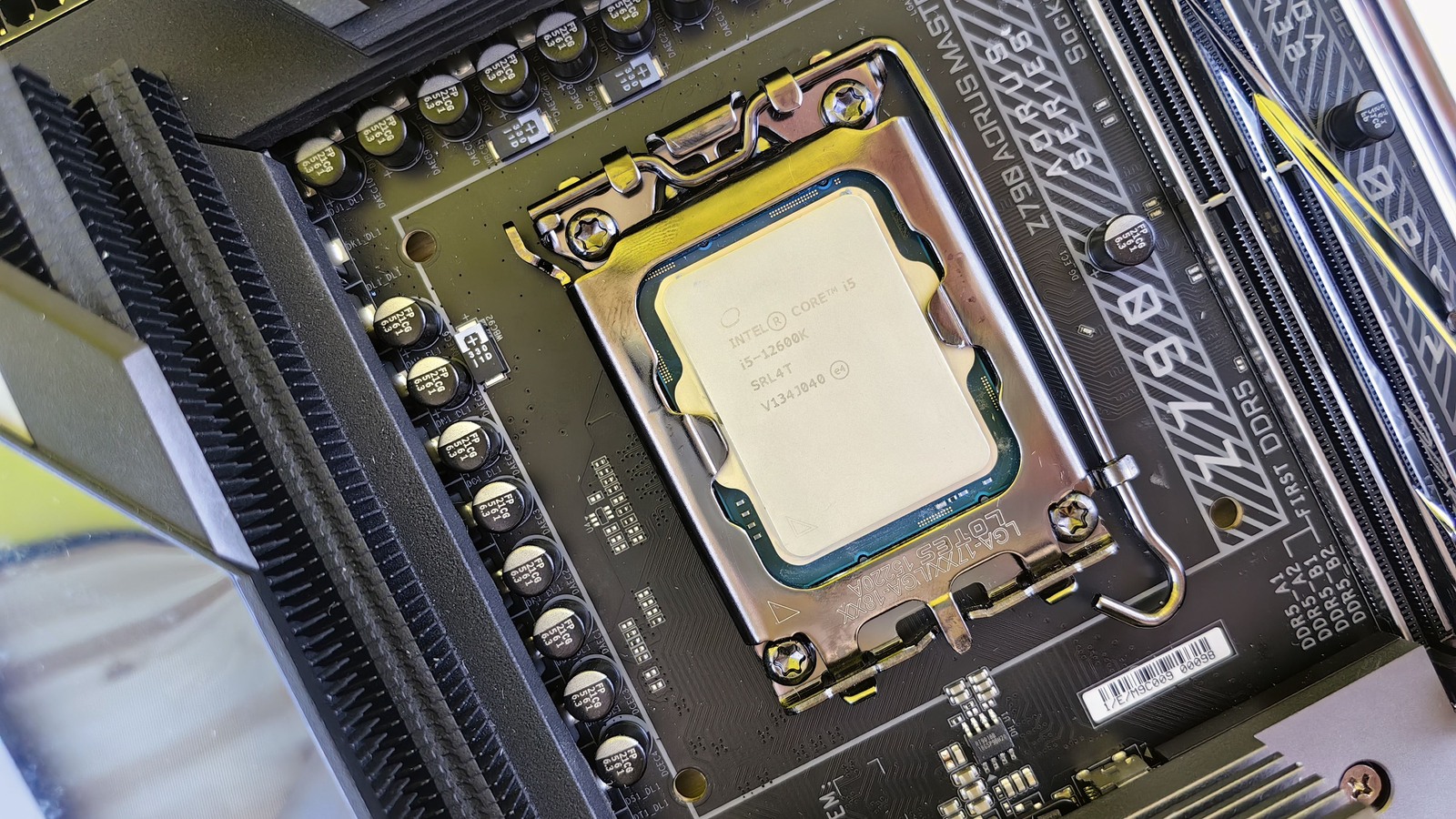
The CPU Buying Guide: What Matters Beyond Core i7, Ryzen 7 and GHz
Understand modern processors through real buying decisions: workloads, cores, power, cooling, graphics, memory and the complete platform.

A Core i7 is not automatically faster than a Core i5. A Ryzen 7 is not a fixed level of performance. And two laptops with the same processor can behave differently once a long export starts, the fans reach their limit or the power adapter is unplugged.
Choosing a CPU is easier when you begin with the work rather than the badge. Identify what you do, which part of it feels slow, and whether you are buying a desktop component or an entire laptop. Then use specifications to narrow the options and relevant measurements to choose between them.
What the processor does—and what it cannot fix
The CPU executes program instructions: calculations, decisions, application logic and the coordination needed to keep software running. Opening a spreadsheet, compiling code and simulating a game world can all involve it, but they do not stress the same capabilities.
The rest of the computer matters. A GPU handles much of the parallel graphics work in games and supported creative applications. RAM holds working data; an SSD stores files and supplies them when needed. A faster processor cannot turn a slow internet connection into a fast one or supply memory capacity the machine does not have.
Some applications use several accelerators. Video playback or export may involve a dedicated media engine rather than only the CPU cores. An NPU accelerates supported machine-learning operations; it does not generally make every application faster. The useful purchasing question is which component your software actually uses.
Architecture: why two chips do different amounts of work
In a broad sense, an instruction-set architecture is the contract between software and hardware: the instructions and behavior software can rely on. The microarchitecture is the implementation that executes that contract. Arm’s architecture explanation makes this distinction explicit.
Most Intel and AMD consumer PCs use the x86-64 software ecosystem. Arm-based systems include Apple’s Macs and Windows devices using Snapdragon processors. That does not mean all x86 chips or all Arm chips share a design, performance level or efficiency advantage.
Within a software ecosystem, newer implementations may improve prediction, instruction handling, execution resources and data movement. Some processors combine multiple silicon dies or tiles. The package can contain CPU cores, graphics, memory controllers and other engines; a process-node name alone does not describe the performance of that complete system.
Cores and threads: useful resources, not interchangeable units
A physical core is an execution resource. A software thread is a sequence of work that the operating system can schedule. Simultaneous multithreading, called Hyper-Threading by Intel, lets a supporting core keep more than one hardware thread active. It can use otherwise idle resources, but it does not create a second complete physical core or guarantee twice the speed.
Support varies. Intel documents that Core Ultra Series 2 does not use Hyper-Threading. Consequently, “more threads” cannot be used as a universal shortcut for comparing old and new processors.
Extra cores help when software can split substantial work between them. Rendering independent image samples, compiling many files or running multiple virtual machines may benefit. A lightly threaded operation may instead depend heavily on the speed of one or a few cores. Adding cores does little for a task that cannot use them.
Multitasking is also more complicated than the number of open windows. A browser with many inactive tabs can be primarily a memory-capacity problem. A compilation running alongside a video call creates a different demand. Count active work, not icons.
Performance cores, efficiency cores and compact cores
Hybrid designs combine different kinds of cores. Intel’s P-cores and E-cores have different design goals; some mobile chips also contain low-power core arrangements. The operating system and scheduling mechanisms influence where work runs. Efficiency cores can contribute to throughput as well as background work; they are not simply cores that never participate in demanding tasks.
AMD also uses combinations that need their own interpretation. Its Ryzen AI 9 HX 475 specification lists four Zen 5 and eight Zen 5c cores, with different maximum clocks. Do not equate those core types numerically with Intel’s P/E split or infer the performance of an entire family from one model.
A total core count is therefore the beginning of the specification, not the result of the comparison. Look at the composition and then at the application you care about.
GHz, IPC and cache belong in the same explanation
Clock frequency measures cycles per second. It does not say how much useful work is completed in each cycle. IPC, instructions per cycle, describes another part of that picture and varies with the program and conditions. Arm’s explanation of IPC describes how microarchitectural changes and data access affect it.
A useful intuition is that sustained performance depends on how much useful work the design can complete and how fast it can keep operating. It is not a buyer’s equation in which you multiply advertised IPC, maximum GHz and all cores to obtain a comparable score.
Maximum boost is conditional. It may describe a small number of cores under a suitable workload, with power and temperature headroom. It is not a promise that every core will hold that frequency during a long render. Intel’s Turbo Boost explanation identifies those limits.
Cache keeps frequently needed instructions and data close to the cores. L1, L2 and L3 differ in size, latency and sharing arrangements. A larger useful cache can reduce expensive trips to RAM, but adding cache is not a uniform percentage improvement in all applications.
AMD’s X3D products illustrate why gaming buyers encounter cache prominently in marketing. Test the actual proposition against the games, settings and graphics card you intend to use. Cache capacity does not make a processor the automatic winner in compilation, office work and every creative application.
Read the entire name, then open the specification
Core i5/i7/i9, Core 5/7 and Core Ultra 5/7/9 are not one continuous performance scale. Similarly, Ryzen 5/7/9 and Ryzen AI names do not replace checking the architecture and exact model. Brand tiers are most informative within a well-defined generation and segment.
Intel’s naming documentation explains suffixes such as U, H, HX, K and F. They identify intended segments or features, not universal benchmark outcomes. An F desktop model requires discrete graphics; do not assume that all otherwise similar names offer the same display outputs or media capabilities.
Read AMD suffixes in their own product context. HX in Ryzen AI 9 HX 475, for example, should not be treated as a promise that its power budget matches an Intel HX laptop. The official model specification is more reliable than decoding a familiar-looking suffix by analogy.
Check the precise model, launch family, core arrangement, graphics, memory support, socket/package and power specifications. On a laptop, continue into the manufacturer’s exact configuration rather than stopping at the CPU page.
The product families that matter in October 2026
As of 20 October 2026, the market contains overlapping generations. Intel’s Core Ultra Series 3 mobile platform coexists with earlier Core Ultra products and conventional Core-branded systems. For desktops, Core Ultra 200S Plus adds another distinction within the Series 2 ecosystem. Series numbers do not provide a desktop-versus-laptop ranking.
AMD’s desktop Ryzen 9000 and X3D options, mobile Ryzen families, Ryzen AI 400 and Ryzen AI Max variants address different configurations and uses. A shared Ryzen label does not establish equal graphics, memory bandwidth or upgradeability.
Arm-based choices include Snapdragon X-series Windows systems and Apple M-series Macs. Apple’s August 2026 M6 and M5 Ultra announcement is another reminder that generation and tier can coexist within a platform. These are representative families, not an exhaustive availability list or a performance ranking.
For Windows on Arm, check your exact applications, drivers, peripherals, virtualization tools and games. Microsoft’s compatibility guidance distinguishes emulated applications from drivers that need Arm support. A good general benchmark does not resolve an incompatible work tool.
A desktop CPU is a platform purchase
A desktop socket is only one compatibility check. The motherboard’s supported-CPU list, BIOS version, chipset, memory type, power delivery and cooling must also be suitable. A board may need an update before recognizing a newer processor; verify how that update can be performed with the hardware you own.
AMD’s AM5 platform documentation explains the platform, but a broad support commitment does not replace the exact board maker’s list. Future socket support is also not a guarantee that every future chip will suit every board or be a worthwhile upgrade.
Compare CPU plus motherboard plus RAM plus cooler, and include power-supply needs where relevant. A discounted processor can be less attractive if its platform requires expensive changes. Conversely, a supported CPU upgrade on a suitable existing board can be better value than starting again.
Check whether graphics are included and how capable they are. Some desktop processors have no iGPU; others provide basic display capability or substantially stronger integrated graphics. A motherboard’s HDMI connector does not create a GPU that the installed CPU lacks.
A laptop CPU is an implementation purchase
Laptop makers decide the cooling system, firmware behavior, fan profiles and permitted power levels around a processor. Thinness, acoustics, battery use and the shared cooling budget with a discrete GPU can all affect the result. The same CPU name does not guarantee identical performance in two chassis.
Power specifications need context too. Intel distinguishes base and turbo operating ranges; AMD publishes configurable TDP ranges for some products. These values are not a universal cross-brand measure of total system consumption or battery endurance.
Look for a long-running CPU test, the reviewer’s performance mode, fan noise and behavior on battery. A short benchmark may finish before cooling or sustained power becomes the constraint. A result taken in a maximum-fan mode may not describe the mode you would tolerate at work.
Notebookcheck’s Core Ultra X9 388H analysis, for example, identifies the tested Zenbook’s memory, power limits and system-level measurement method. Those conditions belong with the results. They are not measurements of every laptop carrying the chip.
A processor marketed as efficient does not guarantee a silent laptop. Fans respond to the whole system, and a bright high-resolution screen, battery size and software workload affect endurance. Check complete-system measurements for the use that matters to you.
Integrated graphics, RAM and storage can change the choice
If you will rely on integrated graphics, compare the iGPU itself. Its capabilities can differ significantly within a broad CPU family. Shared memory bandwidth and configuration also matter. With a discrete GPU, verify whether the software uses the iGPU’s media engine or other features before assuming they are irrelevant.
Capacity comes before chasing small memory-speed differences when your workload is running out of RAM. Paging working data to an SSD can cause delays that an expensive CPU does not remove. However, more unused RAM does not automatically make the CPU execute instructions faster.
Memory channels, supported speeds and population rules affect bandwidth. Follow the system or motherboard documentation: two modules are not a universal guarantee of a particular configuration, and adding modules can change supported speeds. On some laptops and integrated platforms, memory is fixed at purchase.
An SSD can improve loading and file operations when storage is the limitation, but it does not substitute for CPU throughput during a compute-bound task. Diagnose the delay: waiting for data, lacking memory, performing calculations and compiling shaders are different problems.
Choose evidence that resembles your work
A benchmark is a defined workload, not a certificate of universal speed. Synthetic single-core and multicore tests can expose useful differences, while application tests show how a particular version and workflow uses the system.
Puget Systems’ Core Ultra 200S Plus application testing separates video workflows, rendering and development tasks. Its results illustrate why one overall “creator CPU” verdict can hide different bottlenecks. Puget is a system vendor conducting original testing, so its methodology and commercial context both matter.
Use published results with the hardware, operating system, power settings, memory and software version attached. Do not combine benchmark versions as though their scores shared a scale. Community-submitted results can be useful, but differing systems and sample sizes require care. Treat them as supporting evidence rather than a controlled comparison by default.
For gaming, a deliberately CPU-limited test helps reveal processor differences. It may exaggerate the gap you will see at higher resolution with a slower graphics card. Check representative game results and frame-time behavior, not only an average across titles you do not play.
Match the processor to the work
For an office laptop, a sensible midrange processor with adequate memory and a good screen may improve daily use more than a higher-tier CPU in a compromised machine. For a programmer running small projects, responsiveness and RAM may matter more than the maximum core count. Large builds or several virtual machines can justify a different balance.
A gamer targeting very high frame rates has a different CPU requirement from someone playing demanding games at settings that saturate the GPU. A video editor must check the codecs and effects actually used; hardware media acceleration can change the CPU-versus-GPU balance.
For long paid workloads, compare time saved against the entire price premium. In a hypothetical case, reducing a task from 30 to 24 minutes saves six minutes per run. The value depends on how often it runs and whether that waiting time prevents other work. A percentage lead is not automatically a financial return.
A decision you can make without memorizing every model
First, list your demanding applications and check compatibility. Next, decide whether the budget buys a complete laptop, a new desktop platform or an upgrade. Set the RAM, storage and graphics requirements before allocating the remainder to the CPU.
Shortlist exact models and implementations. Read relevant tests, including their limitations. Compare the complete cost, sustained behavior and practical upgrade path. Pay for a higher tier when the additional capability produces a result you will use.
If two suitable processors already deliver the experience you need, buy the better overall system. The unused part of a benchmark lead is often a poor reason to sacrifice the screen, memory, cooling or money you would rather keep.
Smarter choices start with clearer information.
MASEVIO researches, compares and explains products, technology and emerging ideas to help make everyday decisions easier to understand.
MASEVIO may use affiliate links in some articles. If you buy through an eligible link, MASEVIO may earn a commission at no additional cost to you. Editorial opinions are not determined by affiliate partnerships.


Make every day smarter.
Discover what matters now — useful ideas, standout products, clearer comparisons and stories worth knowing.