
10 E-Readers Compared: Choose for Your Books, Not Just the Screen
Choose an e-reader around your books and reading habits. These ten options cover different needs, with clear limits on formats, apps and availability.
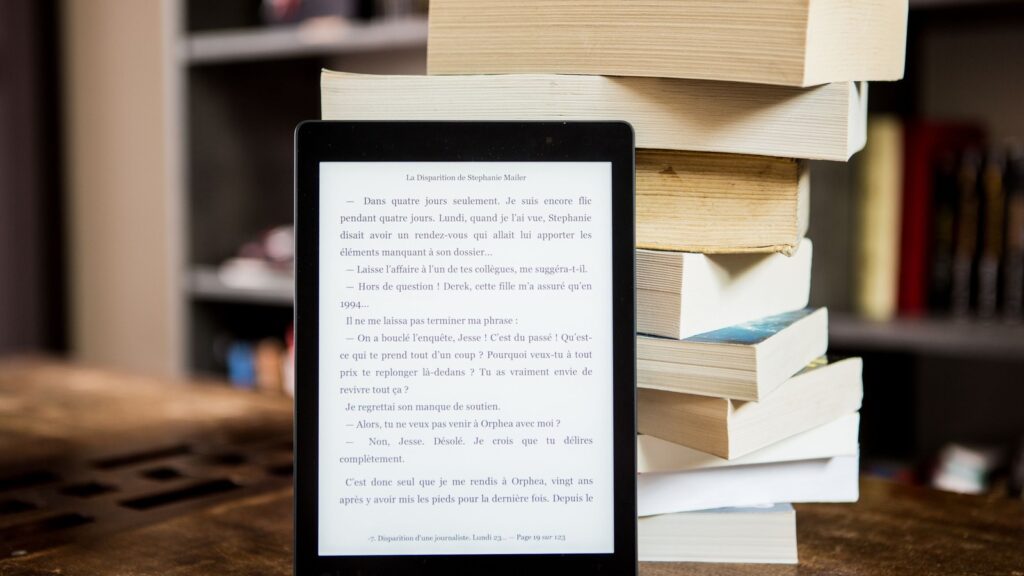
The best place to start an e-reader purchase is your bookshelf. Where did you buy your existing ebooks? Do you read novels, illustrated books or fixed-page PDFs? A device with an attractive screen can still be a poor match for the files you already own.
These ten options cover different reading needs. The numbers organise the comparison; they are not a league table from best to worst.
How the ten were selected
This is a desk-researched comparison using manufacturer specifications and support documentation, not a hands-on test. Inclusion requires a distinct reason to consider the model: an established book ecosystem, useful file support, a different reading format, physical controls or Android app access. Colour and storage variants do not earn separate places.
The list mixes established products with Amazon’s newly announced 2026 models. A manufacturer page confirms a product exists, not that it is in stock in your country. Amazon’s October lineup announcement distinguishes the base Kindle’s regional availability from rolling preorders for Paperwhite and Colorsoft. Confirm the exact generation and delivery date before paying; a familiar name may cover older hardware too.
1. Kindle (2026): a compact entry to Amazon’s library
The base 2026 Kindle has a six-inch display. It earns its place for readers who already buy Kindle books and want a small dedicated device, rather than extra apps or a writing tablet. Verify the release year: “Kindle” alone is not a complete model description.
2. Kindle Paperwhite (2026): stay with the books you already buy
The new Paperwhite adds an adjustable warm light and waterproofing to its reading proposition. Its practical appeal is straightforward for an existing Kindle reader: keeping the library familiar. It does not solve an incompatible third-party book licence, and a preorder announcement should not be mistaken for immediate delivery.
3. Kindle Colorsoft (2026): choose it for colour content
Colour is a reason to consider Colorsoft when covers, illustrations or graphic material matter to your reading. It is less compelling if nearly every page you open is plain text. The new 2026 model also needs to be distinguished from the earlier Colorsoft, especially when comparing offers.
4. Kobo Clara BW: focus on the text
Clara BW offers a six-inch monochrome Carta 1300 screen and adjustable front lighting. It is a sensible starting point for someone seeking a small reader rather than a tablet. Kobo’s format guidance includes EPUB and PDF, while explaining that protected books may require a different transfer process. “It opens EPUB” is only the first check.
5. Kobo Clara Colour: keep the small format, add colour
The six-inch Clara Colour is the compact colour alternative in this selection. Its display specification distinguishes black-and-white and colour resolution. Choose it because your content benefits from colour, rather than assuming it upgrades every aspect of ordinary text reading. A small colour screen still leaves a dense, fixed-layout page small.
6. Kobo Libra Colour: physical controls and notes
Kobo confirms page-turn buttons and support for Kobo Stylus 2 on Libra Colour. The product listing specifies that the stylus is sold separately. That combination earns a place for readers who want both physical controls and handwritten annotation. Include the pen in your budget and check the books or documents you intend to mark up.
7. PocketBook Verse Pro: start with the file requirements
Verse Pro combines a six-inch screen, Bluetooth audio and support for EPUB and PDF, including specified Adobe DRM formats. It is worth comparing when files from outside one store matter more than access to a large app catalogue. Check the bookseller’s delivery instructions before purchase; a supported file type does not unlock every protected book.
8. PocketBook Era Lite: more page space and side buttons
Era Lite provides a seven-inch monochrome screen and side page-turn controls. It earns a separate place for readers wanting a larger text page without moving to an Android device. “Lite” is part of the model name: do not import the features of another Era model into this comparison.
9. BOOX Go 6: app flexibility, with an older software base
Go 6 has a six-inch screen and a built-in Google Play Store; its published specification lists Android 11. It can be relevant when your reading spans apps, but that older Android base is a material trade-off. Check the current requirements of your essential app and BOOX’s support position. A long format list is not a promise that every store or DRM system works inside the native reader.
10. BOOX Palma 2: a different shape for reading
Palma 2 combines a 6.13-inch, phone-shaped monochrome display with Android 13 and Google Play. Its place here is about portability and page shape, rather than being a miniature replacement for every larger reader. A narrow column may suit text; illustrated pages and PDFs ask a different question. Check the actual apps you intend to use rather than assuming Android guarantees an identical experience.
Three checks that matter more than the model ranking
Check one book you own. Amazon’s Send to Kindle documentation includes EPUB among imported document types. That is a service workflow, not evidence that every EPUB bought elsewhere can be copied directly and read. For Kobo, protected books can require Adobe Digital Editions. Follow the seller’s instructions and licence; do not assume changing the filename solves compatibility.
Check your library, if borrowing matters. Kobo’s borrowing documentation makes access dependent on the participating library and its catalogue. A feature advertised in another country does not establish eligibility where you live.
Check the page, not just the diagonal. A fixed-layout document keeps its layout when the display is small. Before choosing a compact reader for manuals, textbooks or comics, inspect the kind of page you expect to read and the controls the device offers for it.
If most of your reading is novels, prioritise a compatible library and a comfortable text format. Pay for colour, a pen or an app platform when a specific part of your reading needs it. The right e-reader should make your books easier to reach, not give you a new compatibility problem.
Smarter choices start with clearer information.
MASEVIO researches, compares and explains products, technology and emerging ideas to help make everyday decisions easier to understand.
MASEVIO may use affiliate links in some articles. If you buy through an eligible link, MASEVIO may earn a commission at no additional cost to you. Editorial opinions are not determined by affiliate partnerships.

Make every day smarter.
Discover what matters now — useful ideas, standout products, clearer comparisons and stories worth knowing.